Mapping Identified Visitor Fields Into HubSpot Contacts
Preserve verified data while syncing visitor identification fields into the right HubSpot objects.
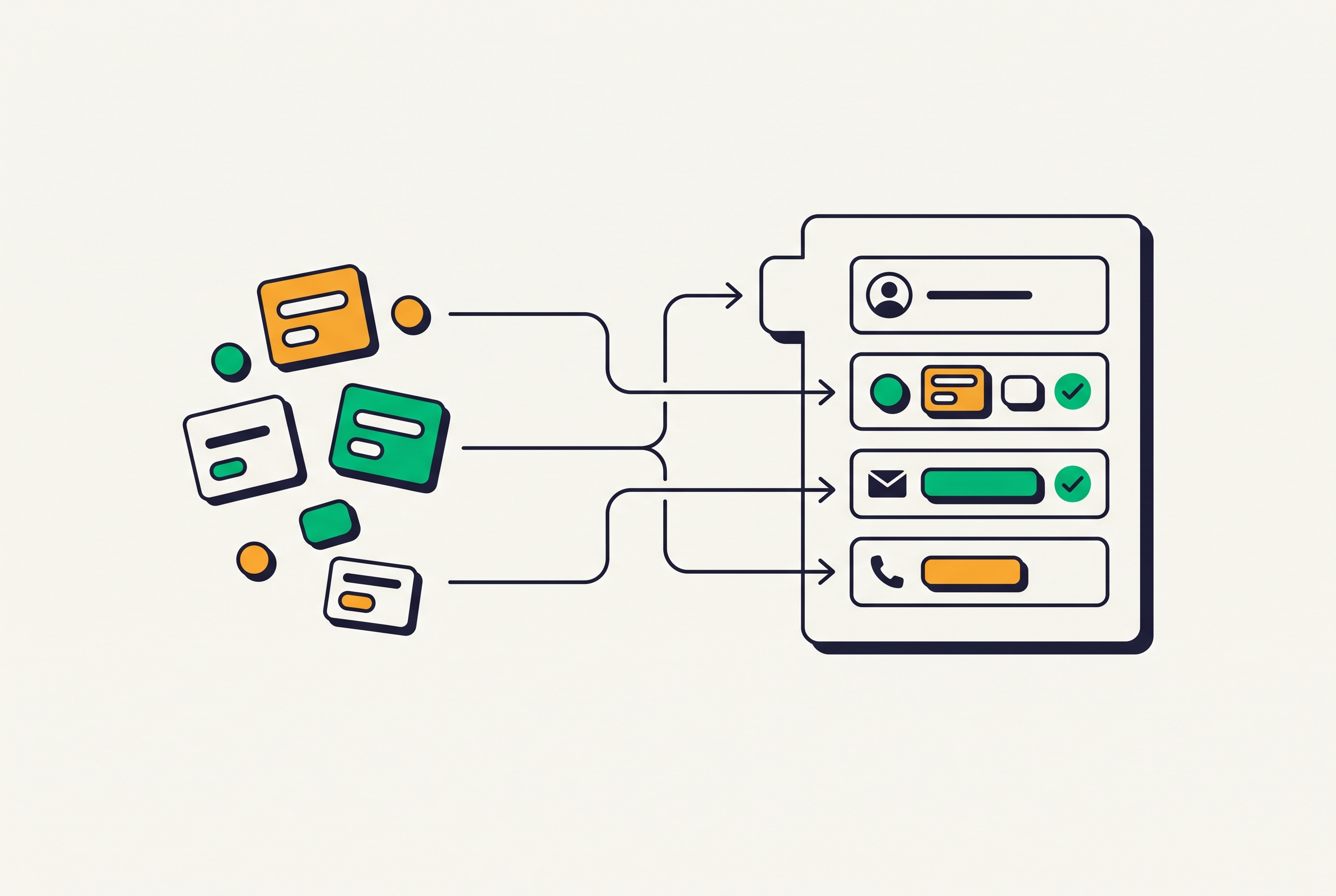
Mapping identified visitor fields into HubSpot contacts is a field-mapping exercise. Clean, actionable records depend on assigning each field to the right object, matching existing records before writing, and protecting verified values on later visits.
Why HubSpot's native enrichment leaves identifiable visitor data stranded
HubSpot Data Enrichment fills a set of properties on records that are already there. Formerly Clearbit/Breeze Intelligence, it is built into every paid HubSpot plan and fills 12 contact fields and 27 company fields. Standard data enrichment consumes no HubSpot Credits, though Buyer Intent and Smart Properties features do. To match a contact, it needs a business email address already on the record, and it skips all personal addresses.
That requirement leaves a gap before enrichment can begin. HubSpot does not find email addresses or write phone numbers onto contacts, so enrichment cannot fill in the missing details needed to reach an identified visitor. Visitor identification tools work in the other direction, surfacing identity, contact details, and behavior from anonymous sessions before a form fill. Because Breeze cannot take in or act on person-level visitor data, each enriched field from a visitor identification tool needs its own mapping.
What a fully enriched visitor record contains before it reaches HubSpot
The source record spans several distinct categories. Identity fields include first name, last name, company name, company domain, job title, classified seniority, and classified job function. Contact fields include business email, with a company-domain match preferred, personal email, and a do-not-call-filtered phone number. The social and profile field is the LinkedIn profile URL.
Behavioral fields contain the full event journey, including page views, clicks, scroll depth, video plays, exit intent, form submissions, and copy events. They also contain visit count and first vs. returning visit status. Attribution fields hold the traffic source and the ad platform that brought the visitor, including Google, Meta, and LinkedIn. CRM-status fields contain the ICP hot-lead flag and CRM status, whose values are not in CRM, in CRM, and customer. A region field supplies the value used downstream for compliance routing.
Which fields map where in HubSpot and why the grouping matters
The destination object determines how a value behaves, who owns it, and whether it can trigger automation. On the Contact object, first name maps to firstname, last name to lastname, and job title to jobtitle. Business email maps to email, which serves as both the primary address and the deduplication key. Phone maps to phone. Personal email belongs in a custom property so the primary address stays in place, while hs_additional_emails holds additional or secondary addresses of any kind, including personal email.
LinkedIn URL maps to linkedinbio or the standard LinkedIn contact property, but the internal name must be confirmed in the specific portal. Classified seniority requires particular care because seniority is a free-text Ads field. The enumeration with predefined labels is Employment Seniority, whose internal name is employment_seniority. Map the source classifications to those enumeration labels and confirm the allowed values for the job-function destination. Region belongs in a custom text or select property distinct from hs_analytics_last_visit_timestamp.
The ICP hot-lead flag maps to a custom boolean such as is_icp_lead for fit, while native lead status describes sales engagement. CRM status governs the write before creation and informs lifecyclestage for an already-customer visitor, while other status values guide routing. Visit count maps to a custom numeric property such as visitor_visit_count and increments on each sync. First vs. returning visit status can be a timeline event attribute or an is_returning_visitor boolean updated on each sync. Traffic source and ad platform belong in parallel custom properties, with rules for keeping their values safe covered below.
On the Company object, company name maps to name, and company domain maps to domain. Domain also anchors company deduplication, so parent and subsidiary matches need resolution before writing. If Breeze has populated industry, employee count, revenue range, or location, incoming visitor-tool values belong in shadow custom properties. This preserves both the audit trail and the existing enrichment.
The event journey belongs on the contact timeline as events or notes. HubSpot's Custom Timeline Events API takes structured events keyed to a contact, and each page view has a timestamp, URL, and event type. That structure keeps activity queryable, auditable, and available for workflow triggers while keeping contact segmentation uncluttered. A single “last visited pages” text property is a lossy fallback, suitable only when event volume would exceed API rate limits or engineering capacity cannot support structured events.
Deduplication: why email is the right key and when it fails
Email is the correct contact deduplication key because HubSpot matches contacts on email address by default. When a business email is available, write it to email so the sync can match an existing record before creating another. Configure the operation as an upsert, updating if the record exists and creating if it does not. Create-only logic ignores existing records and is the most common source of duplicate inflation in visitor identification workflows.
When only a personal email is available, do not promote it to the primary email field. Hold the record for manual review or enrichment before primary sync, using hs_additional_emails for the secondary address. When identification supplies no email, create or update only a Company record and log the behavioral event to its timeline. Creating a Contact without an email anchor produces an orphan record that later visits cannot reliably match.
Company matching needs its own normalization step. A subsidiary domain such as uk.acme.com can create a duplicate of a parent record using acme.com. Resolve the difference by stripping subdomain prefixes and matching the root domain, or by maintaining a domain-alias mapping in the sync layer. These matching rules make the visitor tool's CRM-status signal useful, because the values not in CRM, in CRM, and customer are reliable only when the sync can locate the corresponding record.
HubSpot does not find email addresses or write phone numbers onto contacts, so enrichment cannot fill in the missing details needed to reach an identified visitor.
CRM status checks and write guards that keep records clean on every sync
A customer flag must suppress lifecycle updates that would downgrade the contact to a lead. An in CRM flag calls for an upsert with field-level guards, while not in CRM permits creation with the available fields after the identity requirements are satisfied.
Write a field only when its current value is blank or the incoming value is demonstrably fresher, such as a more recent visit timestamp. Never replace data that someone entered by hand or that sales verified with enrichment. If jobtitle contains a rep-verified title, preserve it and hold the incoming value in a separate property such as enriched_jobtitle. Write phone numbers only when phone is blank, preserving a rep-entered direct dial. Apply the same blank-only guard to LinkedIn URLs because they are stable identifiers.
Routing belongs in this guarded write layer. The ICP flag should enroll a contact when the property is set for the first time, without repeating alerts on subsequent syncs. For multi-rep teams, evaluate territory or named-account routing before creation finishes, then automate owner assignment in the workflow that fires on the ICP flag. Timeline events follow a different rule because they are append-only. Give each event a deduplication key, such as session ID plus event type plus timestamp, so a retry does not append it twice.
Mapping traffic source and ad platform attribution so HubSpot can close the loop on paid spend
Attribution needs structured properties because free-text notes cannot work with the same filters and workflow logic. HubSpot's native hs_analytics_source comes from its own tracking and shows the referral signal for that session. That signal is not necessarily the paid platform that originally brought the visitor. A person who clicks a LinkedIn ad and later returns directly can appear as Direct in the native source field.
Write the visitor tool's traffic source to identified_traffic_source, using text or select values of Organic, Paid Search, Paid Social, Direct, and Referral. Write platform attribution to identified_ad_platform, using select values of Google, Meta, LinkedIn, and None. Keep these properties separate from HubSpot's native source so both signals coexist. Protect the originating attribution rather than letting a later visit erase it, and capture the first attributed platform in identified_first_touch_ad_platform, guarded after its first write.
Consider a LinkedIn ad that brings an ICP-matched visitor who never fills a form. Linking that identity to a structured platform value lets HubSpot lists and reports include the person in channel-level analysis. HubSpot's native attribution reporting does not calculate campaign-level ROAS, though it supplies cost-per-lifecycle-stage metrics such as cost per contact, cost per deal, and cost per MQL. Structured visitor attribution provides a narrower but useful signal of which paid sources produce identified, ICP-matched buyers. That signal can help teams decide how to spend their budget without a full multi-touch attribution model.
Delivering the mapped record to HubSpot: API, webhook, and native integration paths
A native HubSpot integration can write contacts, companies, and activities without middleware. Setup is typically OAuth-based and requires Super Admin or App Marketplace Access rights. The platform handles upsert logic and rate limits, so the team receiving the data has less to maintain. Its constraint is the mapping interface, which may not expose every destination or enumeration. Before go-live, confirm that the connector covers the source inventory, including custom mappings for seniority and job function.
Webhook delivery gives the receiving layer control over deduplication and write guards before the HubSpot write. The payload needs an email address or HubSpot contact ID to anchor the contact upsert reliably. HMAC-signed webhooks, such as a person.identified event, should also have the traffic source and ad platform. A HubSpot workflow via Operations Hub or middleware such as Make or n8n writes those values to the custom properties on receipt. The same handler should send timeline events on their own through HubSpot's Custom Timeline Events API.
REST API calls offer the most control over mapping, guards, and error handling for teams that can own the sync layer. Bulk CSV export is a fallback without those engineering resources, but its minimum daily-batch latency makes it suitable for historical enrichment and too slow for live pipeline work. The CRM-status field comes with each identified person record, so the delivery mechanism gives the pre-write gate the status it needs without a separate lookup. Domain-scoped API keys also support agency configurations where each client is a tracked domain.
Validating the sync: confirming fields land correctly before enabling workflows
Once records are flowing, validate the mapping before enabling workflows. After the first run, pull three to five identified contacts and compare every source field with its destination. Each should have a populated value or a documented reason for absence, such as no available phone number or a personal email held in hs_additional_emails. Check seniority, job function, and ad platform against the allowed enumeration values because mismatches can be rejected silently or left blank. Confirm that the primary email is a business address.
Next, search by name and company for duplicate contacts in the sample. Trace duplicates to the matching step, particularly missing or mismatched email anchors. Search for duplicate companies by domain and adjust normalization if a subsidiary failed to match its parent. Open each contact timeline and confirm that page views appear as discrete entries. Replay the same page-view event to test that its deduplication key leaves only one entry.
Then filter contacts by identified_ad_platform and compare the distribution with the active paid channels. A field blank across all records points to a missing payload value or mismatched property internal name. Check a known returning visitor to make sure identified_first_touch_ad_platform still holds the value from its first write. Finally, trigger one ICP-flagged identification and confirm one workflow enrollment, the correct owner, and no duplicate alert, while a customer-status record stays out of the new-lead workflow. A validated sync gives every workflow, alert, and report a clean, deduplicated, correctly attributed foundation from the first day.